
Clothing pattern design sits at an awkward intersection. Search the phrase and half the results assume you mean sewing pattern drafting — sloper blocks, grading rules, Gerber files. The other half assume you mean textile pattern design — repeats, colorways, tile geometry. This guide is firmly about the second: designing the printed artwork that lives on the surface of a garment.
Before getting into the workflow, the terminology problem deserves a clean answer. A sewing pattern is the paper or digital template a cutter uses to cut fabric pieces — front, back, sleeve, collar. A clothing pattern in the print-design sense is the repeating artwork that gets printed onto fabric before (or after) cutting. Both can legitimately be called "patterns." This guide treats clothing pattern design as surface print work intended for apparel. If you arrived here looking for sloper drafting, this is not that.
What follows is the working method used by independent and in-house print designers when they sit down to design clothing patterns for production. It assumes you have a seamless pattern maker or equivalent tooling and can already produce a tileable repeat. The value here is in the apparel-specific decisions around it.
What clothing pattern design actually is
A printed garment is a system, whether you build it in-house or commission custom textile design services. The artwork has to repeat without visible seams across yards of fabric, survive the fabric printing process intact, and read correctly once that fabric is cut into garment panels and sewn together. Three constraints, all of which can sink an otherwise beautiful design.
Pure repeat work — the kind you might sell on Spoonflower or wallpaper marketplaces — has only the first constraint. Clothing pattern design adds the other two. That is why a tile that looks brilliant on a flat 36-inch swatch can look amateurish on a finished shirt: the scale was right for the swatch and wrong for the body, the colors crushed in CMYK conversion, or the directional motifs ended up running sideways across a sleeve.
The workflow below is built around these three constraints. If you only care about the visual, skip it and design freely. If you intend to actually produce garments, every step exists for a reason.
The 7-step clothing pattern design workflow
Step 1 — Brief (30-60 minutes)
The brief defines what the artwork is for. At minimum: garment type, target customer, fabric, print method, season, and price point. A floral for a $40 cotton sundress and a floral for a $400 silk blouse are different jobs. The first has to survive DTG ink on woven cotton and a cheap colorway palette. The second has hand-screening, more saturation budget, and an audience that will notice motif craft.
If you are designing speculatively (no brief from a client), write one to yourself anyway. Specify garment, fabric, print method, and price tier in one sentence before you open any design tool. This is the single highest-leverage habit in commercial clothing pattern design.
Step 2 — Mood and reference (1-2 hours)
Collect 20-40 reference images. Half should be other printed garments in your target tier — what your customer might already own. The other half should be motif sources: textiles, botanical illustration, archive prints, cultural patterns, photographs of the actual subject if it is a flower or animal. Reference is not for copying. It is for calibrating taste before you commit hours to motifs.
A common rookie shortcut is to skip this step and go straight to generation. The result is usually a print that is technically a repeat but reads as generic — it lacks the specificity that comes from having looked hard at real source material first.
Step 3 — Motif development (2-4 hours)
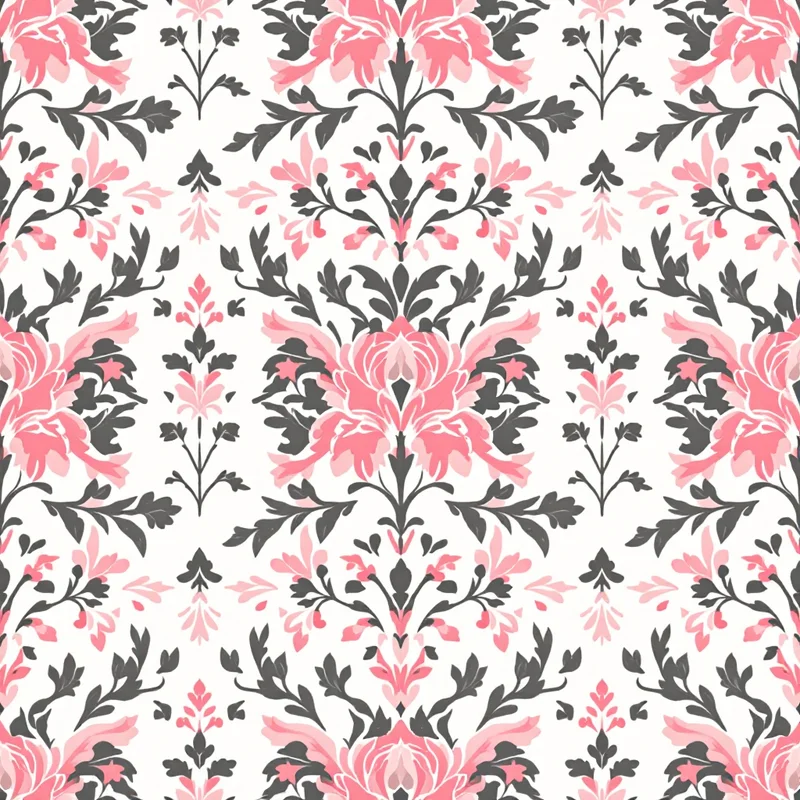
This is where the design happens. You are answering one question: what are the building blocks of the repeat? A motif can be a single peony, a paisley boteh, a geometric tile unit, a brushstroke, an animal silhouette, or the trailing stems found in floral vine patterns. Most successful clothing patterns combine 2-4 motifs at different sizes — a hero motif, one or two supporting motifs, and a small filler element that closes negative space.
Modern AI pattern generator workflows compress this stage from days to hours, but the design judgment is yours. The tool can output motif candidates fast; choosing which ones cohere takes a designer.
When you start to design clothing patterns at this stage, work in black-and-white first if you can. Color is seductive and hides bad motif construction. If the print works as a grayscale composition, it will work in color. If it does not, no palette will save it.
Step 4 — Tile construction (1-3 hours)
The tile is the unit that repeats. Standard tile sizes for apparel print are 12 inches, 18 inches, 24 inches, and 36 inches square, though digital textile printing accepts any dimension. The right tile size depends on your motif scale (more on that below) and the fabric width — you want the repeat to fit cleanly across a standard fabric roll.
Three repeat structures cover most clothing pattern design work:
- Block (straight) repeat — the tile repeats directly up and across. Simplest, but visible grid lines if motifs are sparse.
- Half-drop repeat — every other column is shifted by half the tile height. Hides grid, reads more organic. Workhorse repeat for florals.
- Brick repeat — every other row shifted horizontally. Good for geometric and architectural motifs.
Test the tile by mocking up at least a 3x3 grid at actual fabric scale. If you can see the seam where one tile ends and the next begins, the repeat is not finished.
Step 5 — Colorway development (1-3 hours per colorway)
A colorway is a specific color treatment of the design. Commercial collections usually carry 3-5 colorways of the same artwork so a buyer can match the print to other pieces in their line. The motif and tile stay identical; only the color recipe changes.
Build colorways in the color space your print method actually uses. For digital fabric printing and DTG that means RGB but with a CMYK-safe palette — neon greens and cyans that look stunning on screen will simply not exist on cotton. For screen printing you are working with a limited number of Pantone or mixed inks; the palette has to be designed around that constraint from the start.
Build a main "hero" colorway first, then derive seasonal variations from it. Trying to design five colorways in parallel is how designers burn three days for a result that could have taken six hours.
Step 6 — Garment mock-up (1-2 hours)
Before the file goes anywhere near a printer, see it on the actual garment. Drop the repeat onto a flat technical sketch of the target garment at correct scale, or use a 3D mock-up tool that draps the fabric over a body. This is where scale errors become obvious. A floral that looked balanced on a 36-inch tile can look microscopic on a maxi dress, or oversized on a fitted shirt.
This is also where directional issues surface. If your motifs all face the same direction, they will run sideways on sleeves and possibly upside down on garment backs depending on how the cutter lays out panels. A "tossed" non-directional repeat solves this. A directional repeat (stripes, all-flowers-facing-up) requires the cutter to align fabric grain on every panel, which costs money and may not be possible in mass production.
Step 7 — Production file (1-2 hours)
The production file is what the printer actually receives. Specifications vary by print method (the next section covers this in detail), but every production file needs the same five things:
- 1The tile artwork at correct DPI for the print method.
- 2A repeat type spec (block / half-drop / brick) so the printer knows how to step it.
- 3Color information — RGB values, CMYK values, or Pantone numbers depending on method.
- 4Tile dimensions in inches or centimeters, unambiguous.
- 5Bleed, if the print method requires it.
A common cause of botched first samples is sending the file with the wrong color profile embedded. Always export a final test PDF or PNG with the correct ICC profile, open it on a second device, and confirm the colors look right before shipping the file.
Total workflow time: roughly 8-15 hours for a single print across 3 colorways. Faster gets sloppy. Slower means you are over-designing.
How to choose motif scale per garment type
Scale is the single decision that separates clothing pattern design from generic surface design. The same motif at the same tile size can be wrong on one garment and right on another.
Shirting and blouses
Small to medium motifs. Tile size 8-18 inches, motif height typically 0.5-3 inches. Shirts have busy construction — collars, plackets, cuffs, pockets — and large motifs collide with those features. Small ditsy florals, geometric grids, polka, and refined paisley work. This is the most common scale range in commercial fashion print design.
Dresses
Medium to large motifs. Tile size 18-36 inches, motif height 2-8 inches or more. Dress fabric is uninterrupted real estate — large motifs can breathe. This is where chinoiserie, tropical prints, large florals, and engineered placements (a single large motif positioned at the hem or bodice) live.
Activewear and swim
Bold mid-scale to large. Tile 18-30 inches. Activewear is body-conforming so motifs distort over curves — designs need to read at a distance and tolerate stretch. Tropical leaves, abstract brush, neon geometric, and animal print all suit this category. Subtle ditsy detail gets lost on stretch knits.
Tees and casual knits
Wide range, depends on whether the print is all-over or placement. All-over knits favor medium tossed repeats, 12-24 inch tile, that work across cut-and-sew construction without seam mismatch worries. Placement prints on tees are a different discipline entirely (screen or DTG on cut-and-sewn blanks) and follow placement art rules, not repeat rules.
Outerwear
Large scale, often architectural. Outerwear fabric is heavyweight, the garments are large, and the audience views them at distance. Big abstract, statement geometric, oversized florals, and bold animal prints belong here. A scale that would overwhelm a blouse reads correctly on a coat.
Lingerie and silk accessories
Small, refined. Tile 6-12 inches, motif height 0.25-1.5 inches. The fabric is delicate and the garments are small — large motifs would dominate. Toile, ditsy florals, fine lace-like geometric, and small paisley work here.
Choosing print method by fabric and price point
The print method determines what your file looks like, what colors are achievable, and what the unit cost is. There are four methods that cover the overwhelming majority of textile design discipline work for apparel.
Digital direct-to-fabric (woven and knit)
How it works: industrial inkjet prints reactive or acid dyes directly onto pre-treated fabric on a roll. The fabric is then steamed and washed to fix the dye.
Best for: silk, cotton, linen, viscose, polyester. Most fiber types have a compatible dye chemistry.
Strengths: unlimited colors, no setup cost, photographic detail possible, small minimums (often 1 yard). Ideal for indie brands, small collections, and made-to-order. This is what most textile designer tools target by default.
Weaknesses: cost per yard is high relative to screen printing at volume. Hand feel can be slightly stiffer than screen-printed equivalents.
File spec: 150 DPI minimum, 300 DPI ideal, RGB with sRGB or Adobe RGB profile embedded. PNG or TIFF. Tile dimensions in the filename.
Sublimation
How it works: ink is printed onto transfer paper, then heat-pressed onto polyester fabric. The ink turns to gas and bonds into the fiber.
Best for: 100% polyester or high-polyester blends. Activewear, swim, sports apparel, accessories.
Strengths: vibrant colors that survive infinite washes, soft hand (ink is in the fiber, not on top), no setup cost, excellent for cut-and-sew where you sublimate the panel before sewing.
Weaknesses: polyester only — sublimation will not bond to cotton, silk, or other natural fibers. White areas of the design will print as the fabric color.
File spec: 150 DPI minimum, RGB, slightly oversaturated since sublimation tends to print slightly muted compared to the file.
Screen printing (rotary or flat)
How it works: a separate screen is burned for each color in the design. Ink is pressed through each screen onto the fabric in sequence.
Best for: large production runs on woven cotton, knit cotton, denim. The classic method for mass-produced printed apparel.
Strengths: lowest cost per yard at volume. Excellent durability. Specialty inks (metallic, puff, discharge, plastisol) only achievable here.
Weaknesses: high setup cost (each color is a screen), limited color count (typically 1-12), minimum orders usually 100+ yards. Not viable for small runs or indie brands.
File spec: vector artwork with each color separated onto its own layer, Pantone references for every ink, halftone instructions if needed. This is the most technically demanding file prep of the four methods.
Direct-to-garment (DTG)
How it works: inkjet prints water-based ink onto a pre-treated cut-and-sewn garment.
Best for: print-on-demand t-shirts, sweatshirts, tote bags. Cotton or high-cotton blends.
Strengths: no minimums, one-off production viable, full-color photographic detail. The backbone of most fabric pattern generator print-on-demand businesses.
Weaknesses: prints sit on the surface of the fabric (slightly stiffer hand), durability lower than screen printing, all-over prints harder than placement prints. Color gamut narrower than digital fabric printing.
File spec: 300 DPI, RGB, transparent background PNG for placement prints. For all-over designs the file must match the garment cut layout — POD platforms supply templates.
Common rookie mistakes in clothing pattern design
Scale chosen for the swatch, not the garment. A repeat looks balanced on a 12-inch swatch printed for color approval. Then it goes on a dress and either disappears or shouts. Fix: always mock up on the garment before signing off the file.
Palette that does not survive CMYK or print-method conversion. RGB-only palettes loaded with neon and pure saturation will collapse on woven cotton. Fix: build palettes from CMYK-safe ranges, or proof against the actual print method before colorways are finalized.
Repeat direction fighting garment construction. Strong vertical or one-directional motifs end up sideways on sleeves and at strange angles on yokes. Fix: use tossed repeats unless you specifically want directional, and confirm the cutter can align grain if you do.
No bleed on sublimation or DTG files. The fabric and the print do not perfectly align — without 0.25 inch of bleed past the seam line, you get white edges. Fix: add bleed to every cut-and-sew panel file.
Sending the wrong color profile. File looks great in Photoshop, prints magenta-shifted on fabric because the printer assumed a profile you did not embed. Fix: embed the correct ICC profile on export and confirm with a strike-off before approving production.
Repeat that looks fine in software but reveals seams at fabric scale. Most repeat-checker plugins show the tile at 50% or smaller. Seams that are invisible at 50% become visible at 100% on real fabric. Fix: zoom to 100% and view a 3x3 grid at actual print dimensions before approving.
How AI tools fit into modern clothing pattern design
The clothing pattern design workflow above did not change because of AI. The hours redistributed. Motif development (Step 3) and colorway iteration (Step 5) used to consume the majority of the project budget — those are now compressed by AI tooling that can generate motif candidates and colorway variants in minutes. The brief, mood, garment mock-up, and production file steps still take as long as they ever did, because they are judgment and specification work, not generation work.
The honest framing: AI tools have made it cheap to produce a technically valid seamless repeat. The bar for commercially successful clothing pattern design is now mostly about the judgment surrounding the generation — what motif fits the brief, what scale fits the garment, what palette ships on the target fabric, what repeat structure survives the cut. Designers who treat AI tools as motif accelerators while owning the apparel-specific decisions are producing more work to a higher standard than was possible three years ago.
For designers working in the print-on-demand and indie fashion space, that compression matters in unit economics. A collection that took six weeks of full-time work in 2022 can ship in two now. For designers selling Spoonflower-ready fabric patterns or designing for small DTC brands, that is the difference between a sustainable practice and a side project.
The seven steps still apply. The tools change. Get the workflow right first, then let the tools accelerate the parts they are good at.
Explore related pattern styles
Patterns for


