Most introductions to digital textile printing read like a brochure for one specific bureau or a Wikipedia summary that conflates four different processes. Neither helps a designer about to wire $3,000 to a mill in Como, place a sample order with a print-on-demand service in Portugal, or hire custom textile design services to handle the file prep end to end. The choice between reactive, pigment, sublimation, DTG, and DTF is not a question of which is "best" — it is a question of what fabric is on the table, how many meters need to ship, and how tightly the color has to match an approved swatch.
This is the working reference for digital textile printing in 2026: the five methods that matter, the fabrics each one belongs on, realistic per-meter pricing, the file-prep that decides whether the output arrives the color the designer asked for, and the defect taxonomy that explains why a printer rejected a job.
What digital textile printing actually is
Digital textile printing is the family of processes that deposits ink directly onto fabric (or onto a transfer paper that releases ink onto fabric) using inkjet print heads, without engraved screens or rollers. There is no setup of physical screens, no color separations to mount, no minimums driven by tooling. The artwork is a file. The press reads the file and prints.
That is the structural break from rotary screen and flat-bed screen printing. Screen printing remains cheaper at high volumes — somewhere past 2,000 meters per colorway the per-meter cost crosses over — but every meter under that line, and every short run, every sample, every one-off, now lives on digital. Industry trackers place digital's share of global printed textile output in the high single digits to low double digits, depending on the methodology, and that share has been climbing steadily as mills retire screen lines.
For an independent designer or a small clothing brand doing serious textile pattern design, the practical implication is that runs of 5–500 meters are economically viable for the first time in fashion history. Whether that ends up profitable depends on choosing the right method.
The five main methods of digital textile printing
The categories overlap in marketing copy but each is a distinct ink chemistry with distinct fabric requirements.
Reactive inkjet prints water-based reactive dyes onto cellulose fibers — cotton, linen, viscose, modal, silk, some wools. The dye bonds chemically to the fiber, then the cloth is steamed, washed, and finished. Color depth is the best of any digital method; reactive prints look like dye, not like paint, because they are dye. The trade-off is process length (a reactive job runs through pre-treatment, print, steam, wash, dry — easily 24–48 hours of total cycle time) and per-meter cost.
Acid inkjet works the same way but uses acid dyes on protein fibers — silk, wool, nylon. Most silk scarf printing for the luxury market is acid inkjet at this point. The hand of the finished cloth is identical to traditional dyed silk; the color sits in the fiber rather than on the surface.
Pigment inkjet uses pigment particles suspended in a binder, printed directly onto fabric with no pre- or post-treatment beyond a heat cure. It is the simplest workflow, the lowest cost per meter, and the most forgiving across fiber types — pigment prints on cotton, polyester, blends, and even on cellulose-rich blends where reactive falters. The trade-off is a slightly stiffer hand and lower wash fastness than reactive. For a $200 cotton dress, pigment is more than adequate. For a $1,200 silk shirt, it is not.
Disperse / sublimation uses dispersion dyes that sublimate into a gas under heat and bond to synthetic fibers (mostly polyester, some nylon variants). Standard sublimation prints onto a transfer paper that is then heat-pressed against the cloth. Direct disperse skips the paper step. Sublimation is the dominant method for activewear, swimwear, banners, and any polyester garment with all-over print. Color is vivid, fastness is excellent, the hand is undetectable — but it only works on synthetics and pale grounds.
DTG and DTF are the print-on-demand category. Direct-to-garment (DTG) prints pigment ink directly onto a finished cotton or cotton-blend garment, usually a t-shirt. Direct-to-film (DTF) prints onto a PET film coated with adhesive powder, which is then heat-pressed onto the garment. DTF works on a wider range of substrates including dark polyester, where DTG struggles. Both are the engines behind every single-unit print-on-demand store and most short-run merch businesses.
Which method fits which fabric
The matching is not really a designer's choice — the fabric dictates it. A short reference:
- Cotton, linen, viscose, modal: reactive inkjet for hand and color depth, pigment for cost and turnaround. (Decorative shell-shaped motifs and scallop patterns print especially well on reactive inkjet because the curved edges hold dye saturation.)
- Silk, wool, nylon: acid inkjet
- Polyester and high-poly blends: disperse / sublimation
- Cotton-poly blends 50/50: pigment inkjet is the only honest answer; sublimation will print only on the polyester component and look faded, reactive will print only on the cotton and look faded
- Finished t-shirts: DTG for light cotton, DTF for dark or poly
- Mixed-fiber tech fabrics (recycled poly, elastane blends): sublimation if the polyester content is over 80%; otherwise pigment with caveats
The blend problem is the single biggest cause of unhappy first-time orders. A designer ships artwork to a converter, the converter prints on a 65/35 cotton-poly because that is what was in stock, and the colors come back chalky. Neither party did anything wrong individually; the fiber content was incompatible with the chosen ink chemistry. Before any textile design project goes to print, the fiber composition has to be locked alongside the method.
Cost breakdown in 2026
Real per-meter pricing for digital textile printing in 2026, sourced across mills in Como, Bursa, Surat, and Guangzhou plus print-on-demand bureaus in the US, UK, and Portugal — useful context whether you are pricing from a quote sheet or a fabric pattern generator export:
- Reactive inkjet on cotton, 145 cm wide: €11–€22 per meter at 50 meters, dropping to €7–€12 at 500 meters
- Reactive on silk crepe de chine: €28–€55 per meter at 25 meters
- Acid inkjet on silk twill: €35–€70 per meter at 25 meters
- Pigment inkjet on cotton poplin: €5–€11 per meter at 50 meters, €4–€8 at 500 meters
- Sublimation on polyester knit: €4–€9 per meter at 50 meters; under €3 at 1,000 meters
- DTG on a single t-shirt: $8–$18 per garment, all-in including the blank
- DTF on a single garment: $5–$14 per print, plus the cost of the blank
Minimums vary by mill. The Italian and Japanese houses serving luxury brands often quote 50 meters as a floor with no setup fees. Turkish and Indian mills will run 10–25 meters but charge a €40–€120 setup fee per file. Print-on-demand bureaus run a single unit but the per-unit cost reflects that — somewhere between 3x and 6x the per-meter price of a production mill once you account for the cut-and-sew.
Setup fees in digital printing are not what they were in screen. A "setup fee" on a digital order usually covers file inspection, color calibration to the designer's reference, and a strike-off. Anything over €200 in setup for a single-color-pass file is a markup, not a real cost. Real costs concentrate in the strike-off itself (€40–€150 per pattern depending on substrate) and in any color matching to a Pantone TCX reference (€60–€200 per pattern).
For a six-piece collection at 100 meters per pattern, the realistic budget for digital textile printing in 2026 lands at €4,000–€12,000 in print cost depending on substrate and method. That excludes fabric, cut-and-sew, and shipping.
Color accuracy: CMYK, ICC profiles, and proofing
Color is where most first-time digital textile printing jobs come back wrong, and the reasons are predictable.
Digital textile presses do not print CMYK. They print with anywhere from 6 to 12 inks — typically CMYK plus orange, blue, green, and sometimes red, gray, or a second magenta — to expand the gamut beyond what process CMYK can hit on cloth. The file the designer submits is converted by the bureau's RIP software into that extended ink set, using an ICC profile that describes how this specific ink set on this specific substrate will reproduce color.
The practical consequence is that the same artwork file, sent to two bureaus on the same fabric, will print measurably different colors. Not by accident — by design. Each bureau's ICC profile is its own.
The mitigation is workflow, not magic. A designer who wants reliable color across runs should:
- 1Build artwork in the destination color space. For reactive cotton printing, that usually means an RGB working space with a wide gamut (Adobe RGB or ProPhoto RGB), then softproofing through the bureau's supplied ICC profile before sending. CMYK conversion happens at the RIP, not in the designer's file. Older guides that say "convert to CMYK before sending" reflect screen-printing-era workflows that no longer apply to digital textile.
- 2Request the bureau's ICC profile in advance and load it into Photoshop or Illustrator for soft-proofing.
- 3Reference physical colors with Pantone TCX (the textile-cotton swatch system) or TPG, not Pantone Solid Coated (paper). The two systems are not interchangeable. TCX values are what textile bureaus actually match to.
- 4Order a strike-off before committing to a production run. A strike-off costs €40–€150 per pattern; a botched 300-meter run costs thousands. The arithmetic is uncontroversial.
For deeper specifics on color mode conversion, the CMYK and RGB explained guide covers the math of gamut compression and which channels lose the most range in conversion.
File prep checklist for digital textile printing
A production-ready file for digital textile printing requires every item on this list. Missing any single one is the most common cause of bureau rejection or rework.
- Resolution. 150 DPI at final printed size is the floor; 300 DPI is the standard for fashion print; 600 DPI is requested by some luxury silk converters. Resolution is calculated at the printed scale, not the file dimensions. A 20 cm × 20 cm repeat at 300 DPI is 2362 × 2362 pixels. The same file at 50 cm × 50 cm needs 5906 × 5906 pixels for the same effective resolution.
- Repeat continuity. The tile has to be genuinely seamless — pixel-perfect alignment on all four edges. Bureaus do not fix repeats; they print whatever was sent.
- Color mode. RGB (Adobe RGB 1998 or sRGB) with a wide-gamut working space, embedded ICC profile. Do not flatten to CMYK unless the bureau specifically requests it.
- File format. TIFF with LZW compression for raster artwork; PDF for vector. PNG is acceptable for some bureaus on smaller jobs. JPG is not acceptable for production — the compression artifacts will print.
- Bleed. Some bureaus want the repeat tile extended 0.5–1 cm on each edge. Confirm in advance.
- File naming. Brand_Collection_Pattern_Colorway_RepeatSize_Date.tif. Inconsistent naming is the second-most-common cause of printers running the wrong file.
- Spot-color callouts (if any). A separate document listing every Pantone TCX reference and where in the artwork it appears.
A pattern designed in surface pattern design software still has to clear this checklist before it ships to a bureau. The artwork being beautiful does not exempt it from technical requirements.
Print-on-demand bureau vs production mill
For runs under 25 meters or single-unit garments, a print-on-demand bureau (Spoonflower, Contrado, Bags of Love, Printful, Printify) is the only economically viable option. The per-meter cost is high — often €25–€45 on cotton — but there is no minimum, no setup, no strike-off cost, and the turnaround is 5–14 days door to door.
For runs of 50 meters and up, a production mill is dramatically cheaper per meter and produces a better-finished cloth (proper steam-finish, mercerization where applicable, controlled hand-feel). The price for that quality is process: a mill expects a proper file, a strike-off cycle, and a 3–6 week lead time.
The split between the two is not about brand size. It is about what the cloth is for. A designer sampling a new collection orders POD strike-offs of every pattern, picks the winners, then commits the winners to a mill for production. A wholesale homeware brand selling 200 pillows a month runs the entire workflow on POD because it does not justify mill volumes. A fashion brand shipping 10,000 dresses a season runs everything through a mill because POD pricing would destroy the margin.
The mistake to avoid: sending a mill-quality file to a POD bureau (the resolution and color depth will not show) and sending a POD-grade rough file to a mill (the bureau will reject it). The artwork standard is the same in both cases; the deliverable economics are not.
Sustainability: water, ink, and certifications
Digital textile printing uses dramatically less water than screen printing — somewhere between 40% and 90% less depending on the method. Sublimation uses almost no water at all (the dye sublimates as gas). Reactive printing still requires post-print steaming and washing but uses around 50% less water than rotary screen reactive. Pigment skips the wash entirely and uses essentially no water beyond ink mixing.
Ink chemistry has improved meaningfully. Most major ink houses now offer GOTS-compliant reactive inks, OEKO-TEX Eco Passport pigment inks, and bluesign-approved disperse inks. The certifications that actually matter for selling into European retail in 2026:
- OEKO-TEX Standard 100 — fiber-level chemical safety, the baseline certification most retailers require
- GOTS (Global Organic Textile Standard) — for organic fiber claims, with strict ink chemistry rules
- bluesign — process-level certification covering water, energy, and chemistry
- ZDHC MRSL — the chemistry restricted-substance list adopted by most major brands
Bureaus and mills that hold these certifications charge a 5–15% premium. For a brand selling to retailers like Net-a-Porter, Selfridges, or any major department store, the premium is required, not optional. For DTC brands with looser supply-chain disclosure, it is a positioning choice.
Common defects and how to avoid them
Five defect categories cause most of the rework in digital textile printing.
Banding — visible horizontal stripes across the print, usually 1–3 mm wide, caused by clogged or misaligned print heads. It is a bureau problem, not a file problem, but it shows up on heavy ink-coverage areas first. Mitigation: request bureau samples before committing volume, and design with the awareness that heavy uniform fills are where banding hides least.
Ghosting — a faint duplicate of motifs offset slightly from the intended position, caused by ink misregistration or substrate stretch during printing. Most common on knit substrates and on jobs printed at maximum press speed. Mitigation: avoid high-contrast small motifs over solid grounds, where ghosting is most visible.
Color shift across the run — pattern A on the first meter does not match pattern A on the 300th meter. Caused by ink batch variation, head temperature drift, or substrate variation. Mitigation: insist that the bureau prints all colorways of a pattern in a single press run, and approve the strike-off against the production run sample, not an in-between print.
Strike-through and bleed-through — ink penetrates the back of the cloth more than the front, common on lightweight silk and cotton voile. Mitigation: communicate substrate weight and intended drape in advance; sometimes the answer is a heavier base cloth.
Edge cracking — pigment prints crack along seam allowances after washing. Specific to pigment ink with too-thick binder loads on lightweight cloth. Mitigation: ask for pigment formulations with elastomeric binders if the garment will see heavy stress.
None of these defects originate in the file. All five are caught early by ordering a strike-off and inspecting it at full scale, in good light, after one wash cycle that mirrors the eventual care label.
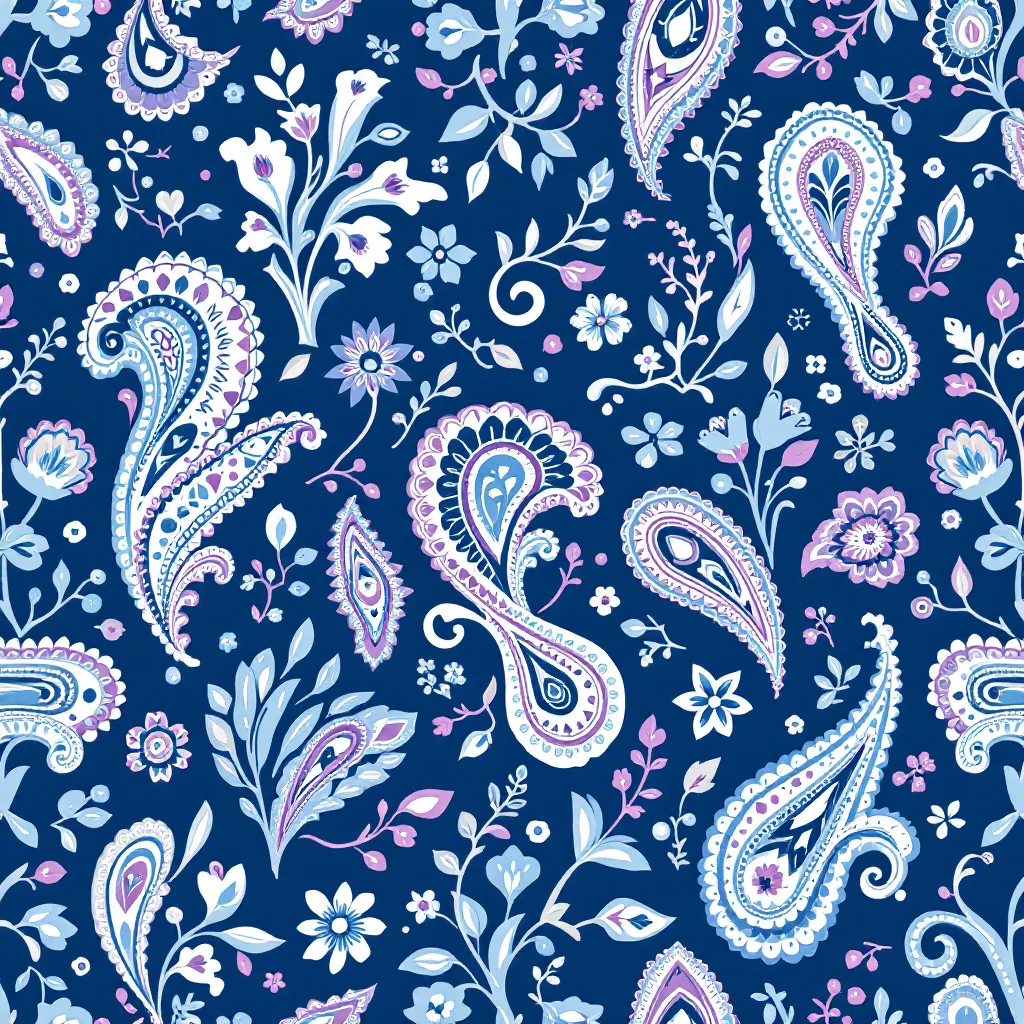
Pattern Weaver export presets for digital textile printing
The export presets in Pattern Weaver are built to clear the file-prep checklist above without requiring the designer to reconfigure them per job. The relevant presets:
- Reactive cotton (production mill): 300 DPI at the chosen repeat size, TIFF with LZW, Adobe RGB embedded, seamless tile guaranteed by the underlying Pattern DNA compiler
- Sublimation polyester: same resolution and format defaults, with the option to export at 8K (8192 × 8192 px) on Max credit packs for high-end activewear
- DTG / POD bureau: PNG or TIFF at 300 DPI, sized to a standard 22 cm × 28 cm placement or full all-over tile depending on the order type
- Strike-off proofing: a single-tile export at the chosen color mode for emailing to a bureau as a reference
Across all paid credit packs (Starter, Pro, Max), the export includes a commercial license. The Max tier unlocks 8K (8192 × 8192 px) exports for jobs at very large repeat sizes or high-DPI luxury silk requirements. The full breakdown is on the pricing page, and the production-side workflow integrates with the file-prep guidance in the broader clothing design collection.
The presets do not eliminate the designer's responsibility to soft-proof against the bureau's ICC profile, to order strike-offs, and to confirm fiber composition before sending. They eliminate the file-format and resolution errors that cause most first-time rejections.
Bottom line
Digital textile printing is not one process — it is five overlapping ink chemistries, each tied to a fabric family, each with its own pricing curve and color reproduction characteristics. The designer's job is to choose the method that fits the substrate and the volume, prep files to that method's specifications, prove the color with a strike-off before committing to volume, and pick a bureau or mill whose price reflects the actual quality required for the end product.
The 2026 economics make small-batch fashion and homewares production accessible at a scale that did not exist five years ago. Runs of 50–300 meters are now routine. Strike-offs cost less than a takeaway dinner. ICC profiles travel by email. The barrier that remains is the designer's understanding of which method fits which fabric, which file format clears which press, and which corners cannot be cut without paying for it twice. The methods above, the costs above, and the file-prep checklist above are the working answer for the year ahead.
For designers building production-ready repeats from scratch, the practical next step is to open a project in the pattern creator using the preset that matches the intended print method, generate a strike-off-grade file, and send a single meter to a bureau before committing to a collection. The full workflow — from concept through file handoff — is laid out in the textile design process guide for designers who want to see how digital printing fits into the larger production picture.
Explore related pattern styles
Patterns for


