
The modern textile design software landscape looks very different in 2026 than it did even three years ago. AI has reshaped the tile-construction stage of the workflow, color management has gotten stricter as on-demand printing matured, and industrial CAD software has finally started talking to consumer apps. But despite the shake-up, the underlying workflow — sketch, motif, tile, colorway, production file — hasn't changed. The tools at each stage have.
This guide is not a best-of listicle. It is a workflow-mapped review of what working textile designer teams actually use in 2026, organized by stage, with honest comparisons where the picks overlap. If you are a designer evaluating which tools to add to your stack, or a beginner trying to understand the landscape, this is the map.
The textile design workflow in 2026
Before tools, the workflow. A typical project in 2026 still moves through five stages:
- 1Sketch — the loose idea, often hand-drawn, scanned or photographed
- 2Motif — the cleaned-up individual element (a single flower, a paisley boteh, a geometric unit)
- 3Tile — the motifs arranged into a seamless repeating block
- 4Colorway — the same tile in multiple color palettes
- 5Production file — the export-ready output (CMYK TIFF for industrial print, RGB PNG for on-demand)
What changed is that stage three — tile construction — used to take the longest. A skilled designer might spend a full day mathematically aligning a half-drop repeat in Photoshop. In 2026, that stage is often AI-assisted or fully AI-generated, which collapses the timeline but shifts the labor toward art direction and curation. The other four stages are still hands-on craft.
The reason this matters: choosing tools without understanding which stage they belong to is how designers end up paying for software they barely use. A vector illustration app is overkill if you only need to clean up scanned florals. An AI generator is the wrong tool if you are sketching original motifs from observation. Match the tool to the stage.
Sketching tools
This is the most personal stage and the one where switching tools is the most disruptive. Designers tend to stick with what they trained on.
Procreate remains the dominant choice for textile designers who sketch on iPad. The brush engine, the responsiveness on Apple Pencil, and the fact that it is a flat $13 (still, in 2026) make it hard to beat. Most working textile designers I know use Procreate for the initial motif sketch — a single rose, a paisley shape, a leaf — then export PNG and clean up elsewhere.
Adobe Fresco is the closer competitor now that Adobe has tightened the integration with Illustrator and Photoshop. The watercolor and oil simulation is genuinely better than Procreate's. For botanical work where you want pigment behavior, Fresco wins. For everything else, it is a wash.
Traditional paper-and-scan is still common, especially among designers working in florals, paisley, and toile. Scan at 600 DPI minimum, clean up in Photoshop, and you have a motif with character that pure-digital work rarely matches. Don't dismiss this. Some of the strongest botanical patterns on the market start as graphite on bristol board.
The honest take: the sketching tool barely matters. What matters is that you sketch enough. Designers who skip this stage and go straight to AI generation produce work that looks generic because it skipped the moment where personal taste enters the process.
Motif building
Once the sketch exists, you need to turn it into a clean, scalable motif. This is where the tool choice gets more consequential.
Adobe Illustrator is still the industry default for vector motif work. If your final output goes to industrial print, screen print, or any process that needs scaling without quality loss, vector is the answer and Illustrator is the tool. The pattern preview feature added a few versions back has made tile testing in Illustrator workable, though not great.
Adobe Photoshop is the answer for hand-drawn raster motifs. Damask, paisley, watercolor florals — anything where the character of the brushwork is part of the design — lives in Photoshop. The Smart Object workflow lets you treat motifs as reusable assets across multiple tiles.
Affinity Designer is the credible Illustrator alternative in 2026. One-time purchase, no subscription, file format compatibility good enough for most freelance work. The downside is that mills and large studios standardized on Adobe years ago, so if you collaborate, you may still need an Illustrator license for file exchange.
Clip Studio Paint has quietly become popular among illustration-heavy textile designers, especially those doing kids' wear and character work. The brush library is enormous and the price is reasonable.
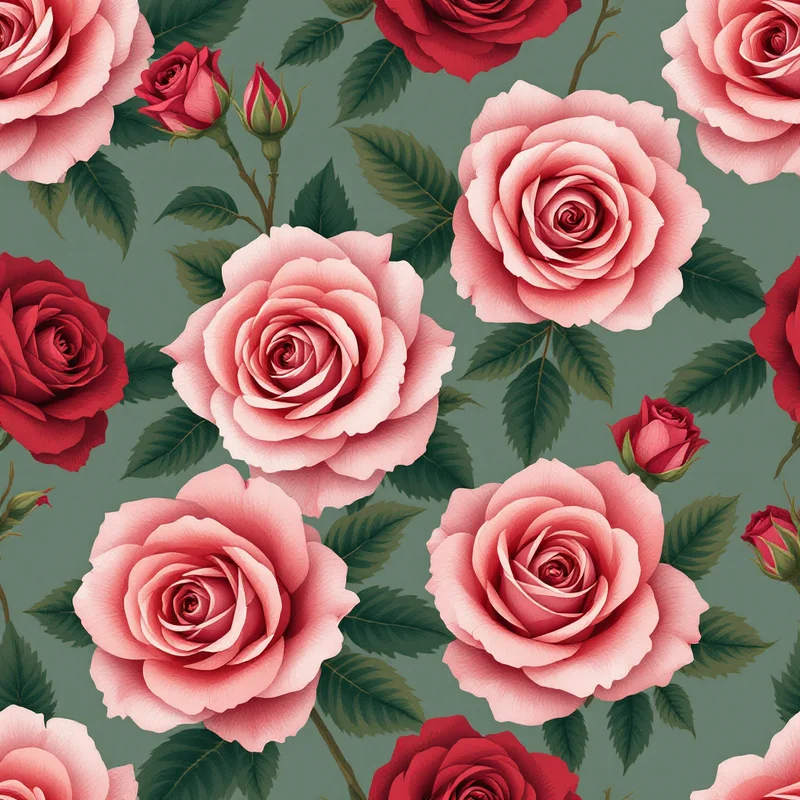
The textile design discipline has always been split between vector purists and raster realists, and that split is still there in 2026. The pragmatic answer is that you need both — Illustrator (or Affinity) for geometric and graphic motifs, Photoshop for painterly and hand-drawn motifs. Most working professionals own both.
Tile construction — the AI shift
This is the stage that has changed most dramatically. Five years ago, building a seamless tile from a motif was a craft skill that took years to master. Half-drop repeats, brick repeats, mirror repeats, full-drop — each required different mathematical alignment. Designers charged premium rates partly because the tile construction was so labor-intensive.
In 2026, the tile-construction stage is increasingly AI-assisted. There are roughly four approaches in active use:
Pattern Weaver
A purpose-built seamless pattern maker for textile and surface design. Strengths: seamless tile quality is consistently high because the tiling is built into the generation rather than bolted on afterward; production exports include CMYK conversion, ICC profile embedding, and tile preview at scale; the AI pattern generator understands textile-specific vocabulary like paisley, ikat, suzani, damask. Weakness: less flexible than general-purpose tools for narrative illustration — if you want a tile that tells a story or includes specific characters, you'll fight the tool.
Patterned.ai
A tile-focused AI generator with a simpler interface and fewer controls than Pattern Weaver. Faster onboarding curve and a fit for hobbyists or POD sellers prioritising volume of output. Different product philosophy — narrower scope, less production-pipeline depth, but worth knowing about as an option in the category.
Midjourney with manual tiling
Many designers use Midjourney for motif generation, then bring the output into Photoshop and manually construct the tile. This gives the most creative flexibility — Midjourney's image quality is exceptional — but the manual tiling step is slow and the output is rarely truly seamless without significant cleanup. Best for designers who use AI as a sketch source rather than a tile producer.
Photoshop hand-construction
The pre-AI workflow is still alive and well, especially among designers who learned it before AI tools existed. The Offset filter (Filter > Other > Offset) plus a clone stamp is still the gold standard for technically perfect repeats. Slow, but you control every pixel.
The even-handed comparison: Pattern Weaver wins on seamless quality and production export, Midjourney wins on creative flexibility, hand-construction wins on absolute control. Most working textile designers in 2026 use two of these depending on the project. A POD seller doing 200 SKUs a year cannot afford to hand-construct each tile. A luxury fashion house doing 12 prints a season can afford to.
Color management
This is the unglamorous stage where careers are made and broken. A textile designer who delivers a beautiful tile that prints muddy on fabric will lose the client. A designer who masters color management gets repeat work.
Pantone Connect is the industry vocabulary. Brands specify in Pantone, mills receive in Pantone, designers translate. The 2026 Pantone Connect plugin works with Illustrator, Photoshop, and most major design apps. If you work with fashion brands, you need a Pantone subscription.
ICC profile selection is the technical layer underneath. The right ICC profile depends on the printer. For Spoonflower and most consumer on-demand services, sRGB IEC61966-2.1 is the safe default. For industrial fabric printing, you'll typically be sent a profile by the mill — FOGRA51 for European coated, GRACoL2013 for North American, ISOcoated_v2 for older European standards.
CMYK conversion is where designers lose color saturation if they aren't careful. The conversion needs to happen after color decisions are made, not before. Design in RGB or Lab, then convert to CMYK at export. Pattern Weaver handles this automatically with embedded profile selection, which removes a common failure point. If you are doing it manually in Photoshop, use Edit > Convert to Profile with the destination profile your printer specified.
The textile designer who can answer "what ICC profile does your printer use?" without flinching is the one who gets booked again.
Repeat layout simulation
Before sending a tile to production, you need to see it tiled at scale. A pattern that looks great as a single block can develop unintended diagonal lines, color clumping, or motif clashes when repeated across yards of fabric.
Repper is the dedicated tool for this. Drag in your tile, see it repeated across different layout types — half-drop, brick, full-drop, mirror — at any scale. The 2026 version added on-garment mockups, which is useful for client presentations.
NeoStock is the more comprehensive option used by larger studios. Includes repeat simulation, colorway generation, and library management in one package. Expensive, but if you produce 100+ patterns a year, the time savings justify it.
Pattern Weaver's built-in tiling preview lets you see the generated tile repeated at multiple scales before export. Not as feature-rich as Repper or NeoStock, but for the AI-generation workflow it covers 80% of what you need without a second tool.
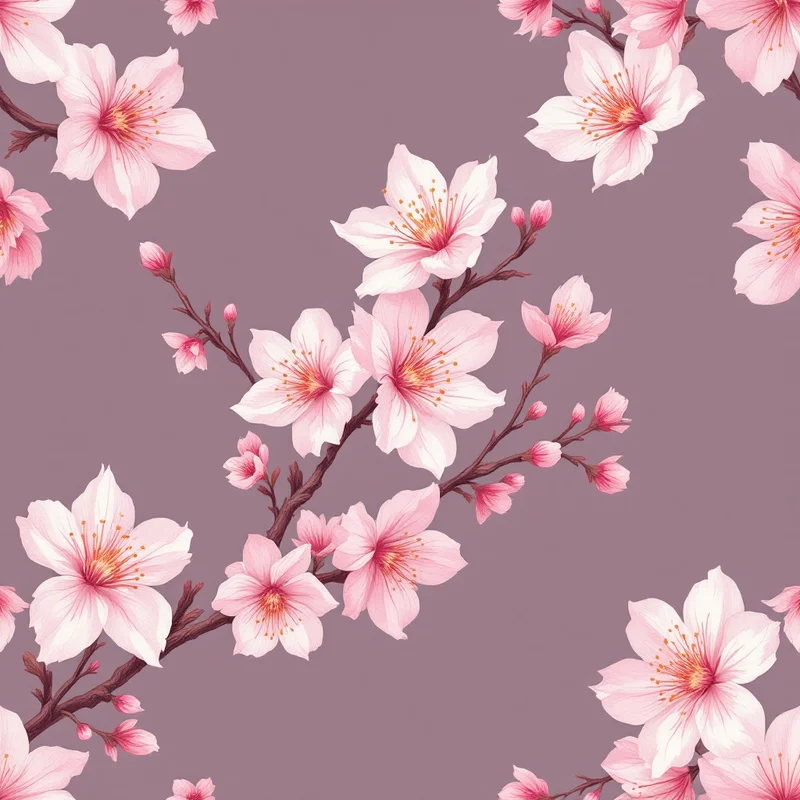
Whatever you use, do not skip this step. The number of patterns that fail QA at the mill because the designer never viewed them tiled is depressing. Five minutes of repeat preview saves a week of rework.
Industrial textile design tools
If your work goes to industrial weaving, knitting, or jacquard production, you operate in a different software world entirely. These tools are CAD systems, not design apps, and the learning curve is brutal.
Pointcarre is the dominant software for woven jacquard design. Used by virtually every major Italian and French mill. The 2026 version finally has a sane interface, but the underlying complexity reflects the complexity of weaving itself. If you design for jacquard, you will eventually learn Pointcarre.
Ned Graphics covers a broader range — woven, knit, print — and is more common in North American mills. The pricing is per-seat and not friendly to freelancers. Most independent designers who need Ned Graphics output rent time at a service bureau rather than buying a license.
EAT is the German alternative, strong in technical knit and weave structures. Less common outside Europe but excellent for designers working with German and Dutch mills.
None of these tools are appropriate for surface-print work. If you are designing for fabric printing, on-demand services, or fashion brands that print rather than weave their textiles, you do not need any of these. The textile designer tools appropriate for your work are the ones covered in the earlier sections.
Print file preparation
The final stage. Your tile is built, color-corrected, and previewed. Now it needs to leave your machine in a format the printer can use.
Adobe Photoshop handles industrial print file preparation. CMYK conversion, ICC profile embedding, TIFF export at the printer's required DPI (usually 150 or 300), and any final cleanup. For mill work, this is the standard.
Acorn is a lightweight Photoshop alternative that has built a niche among Spoonflower-focused designers. Cheaper, simpler, runs well on older Macs. Not appropriate for industrial work but fine for Spoonflower-ready fabric patterns and similar on-demand workflows.
Pattern Weaver's export handles the entire production file step for the surface-design workflow — DPI selection, format choice (PNG, JPG, TIFF, PDF, SVG where applicable), color space, bleed, and tile sizing. For designers whose entire workflow lives in the AI-generation track, this removes the final friction point.
Mock-up tools for client presentations
Clients rarely visualize a tile correctly from a flat swatch. Mockups are how you sell the work.
Placeit is the dominant subscription mockup service. Massive library, easy interface, decent quality. The license terms are reasonable for client work.
Pacdora is the newer competitor focused on packaging and fashion mockups. Better quality, smaller library.
Photoshop with smart object templates is the manual option. Buy or build a mockup template once, drop your tile into a smart object, and you get a custom-quality mockup in 30 seconds. Slower setup, better long-term return.
The honest take: clients judge your work partly by your presentation. A beautiful pattern shown as a flat swatch loses to a mediocre pattern shown as a draped dress on a model. Invest in mockup quality.
The AI shift — what changes, what stays the same
The AI shift in textile design is real but narrower than the discourse suggests. Here is the honest version:
What changed: tile construction is now a craft skill where AI does the heavy lifting and the designer directs. Speed of iteration is 10x. Volume of output per designer is 5x. Cost of producing a single pattern dropped dramatically.
What stayed the same: taste, art direction, color sensibility, understanding of textile end-use, knowledge of production constraints, ability to brief AI tools precisely. The designers who thrived in the AI shift are the ones who knew the craft deeply before AI existed, because they can tell the difference between a generated pattern that will print well and one that won't.
What got harder: standing out. When everyone can produce 50 patterns a week, the bar for selection rose. Curation and editing are the new bottlenecks.
What got easier: entry. A talented sketcher with no Illustrator skills can now produce production-ready patterns by combining hand-drawn motifs with AI tile construction. This expanded the field.
The surface pattern design discipline absorbed AI faster than most creative fields because the underlying work was always partly procedural. Repeating tile construction is, at its core, a mathematical operation. AI does math well. What it doesn't do as well is decide what's worth repeating.
The 2026 toolkit, summarized
If you are starting from scratch in 2026, a reasonable working toolkit looks like this:
- Sketching: Procreate ($13)
- Vector motifs: Illustrator or Affinity Designer
- Raster motifs: Photoshop or Affinity Photo
- Tile construction: Pattern Weaver for production work, Midjourney as a creative wild card
- Color management: Pantone Connect + ICC profile awareness
- Repeat preview: Built into Pattern Weaver, or Repper for standalone work
- Print prep: Photoshop for industrial, Pattern Weaver export for on-demand
- Mockups: Placeit or Photoshop smart object templates
Total cost for a beginner: roughly $40-80/month subscription, depending on which Adobe apps you commit to. A working professional with industrial clients will spend more, often $200+/month once Pantone, mockup services, and additional software stack up.
The tool stack is not what makes you a textile designer. The craft is. But knowing which tool belongs at which stage of the workflow — and not over-investing in the wrong stage — is how working designers keep their margins healthy and their output consistent.
Pick the tool that fits the stage. Use AI where it accelerates. Keep your hands on the parts that matter.
Explore related pattern styles
Patterns for


