
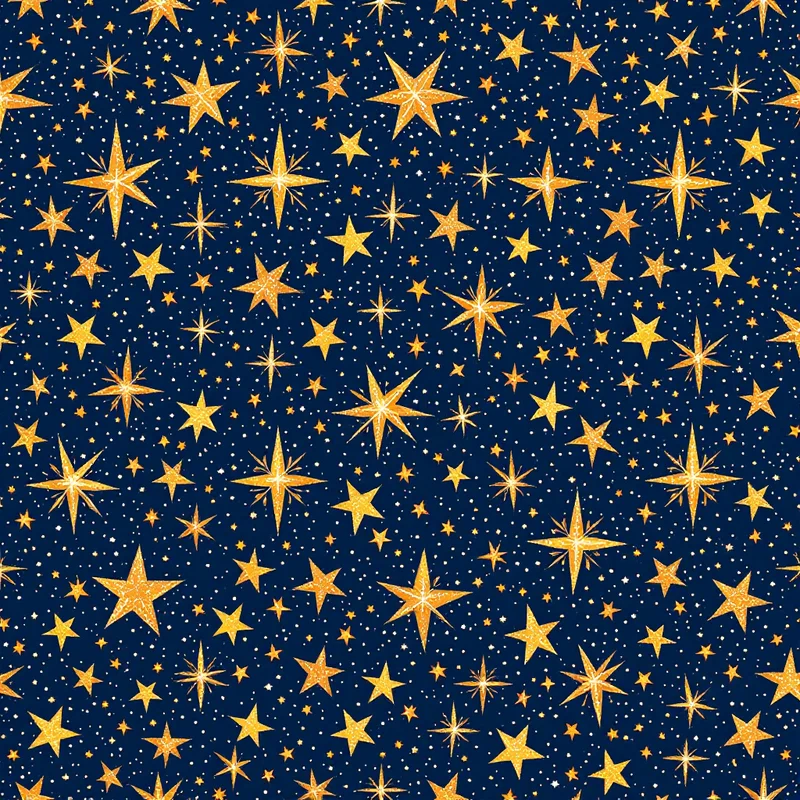
A good galaxy pattern is one of those rare surface designs that reads as both ancient and futuristic at the same time. The motifs — swirling clouds, pinpoint stars, dust lanes glowing with violet and magenta — borrow directly from photographs of nebulae that did not exist in human visual culture before the Hubble Space Telescope started returning them in the early 1990s. Two decades later, those images had bled into fashion, stationery, home decor, and album art, and the galaxy pattern became a permanent fixture in the surface designer's vocabulary. This guide covers what makes a galaxy pattern work, how to build one in Pattern Weaver, and where the strongest commercial uses sit in 2026.
What is galaxy pattern?
A galaxy pattern is a repeating surface design that translates the visual language of deep space into a tile. The core ingredients are a dark saturated ground, soft gradient nebula clouds in two or three accent colors, a star field layered on top, and a sense of glowing depth that the eye reads as cosmic rather than flat. Strong galaxy patterns hold together as balanced repeats — the star clusters distribute evenly across the tile, the nebula gradients flow without seams, and the overall density feels right at the product's intended scale. Weak galaxy patterns betray themselves with hard tile edges, clumped stars, or a flat black ground that reads as printer error rather than space.
Where galaxy pattern comes from
Celestial motifs in textiles are old. Star, moon, and sun imagery appear in Indian block prints, Persian tilework, medieval European tapestry, and Japanese kimono going back centuries. What did not exist until the digital era was the painterly nebula look — dense, photographic, saturated. That visual language arrived with deep-field telescope imagery in the 1990s, became culturally familiar through science programming and screensavers in the early 2000s, and crossed into fashion when digital fabric printing made photo-realistic prints affordable on apparel around 2010.
The fast-fashion peak ran from roughly 2012 to 2014, with galaxy print leggings becoming a defining piece of that era. The trend has since matured rather than disappeared — galaxy pattern is now a permanent commercial niche on print-on-demand, in stationery, in kids bedding, and in accent wallpaper. The 2026 version of the trend is more sophisticated, pulling back from neon saturation toward painterly cosmic landscapes that work on grown-up products.
Visual hallmarks of galaxy pattern
A few traits separate a convincing galaxy pattern from a generic dark print.
The ground is rarely pure black. The best galaxy patterns use a deep indigo, aubergine, or charcoal navy as the base, which reads softer and gives the nebula colors something to bloom against. Pure black flattens the depth.
The nebula clouds layer in two or three colors with soft transitions. Classic combinations are magenta with teal, violet with gold, or pink with cyan. The clouds overlap and blend, creating a painterly atmosphere rather than discrete shapes.
The star field carries the high-frequency detail. Stars come in three or four sizes, distributed unevenly to mimic real clusters. A few larger stars get a soft cross flare. Density varies across the tile — denser in some quadrants, sparser in others — to keep the eye moving.
Depth comes from layering. A finished galaxy pattern usually has three to five depth layers: deep background gradient, distant star dust, mid-distance nebula clouds, near star field, and a few foreground flare stars on top.
How to generate galaxy pattern in Pattern Weaver
Building a galaxy pattern from scratch by hand takes hours of digital painting. Pattern Weaver compresses the work into a five-minute studio session.
- 1Open the studio and pick the cosmic category. Launch the studio and choose the cosmic or celestial category. This loads a preset that biases the engine toward nebula gradients and star fields rather than florals or geometrics.
- 1Set the base palette and density. Pick a deep ground color (indigo, aubergine, or ink) and two or three nebula accents — magenta, teal, and gold is the classic trio. Set star density between medium and dense depending on how busy the final galaxy pattern should read.
- 1Tune scale, contrast, and glow. Adjust scale so stars print as crisp points at the intended product size. Push contrast up for a vivid look or pull it down for a moody muted variant. The glow slider controls how soft the nebula clouds bleed into each other.
- 1Generate and preview the seamless tile. Run the generator and use the four-up tile preview to confirm the galaxy pattern wraps cleanly on all edges. The clouds should flow across seams without visible cuts.
- 1Export at the right resolution and format. Apparel wants 4K, wallpaper wants the full 8K (8192×8192 px). PNG for transparency, WEBP for smaller files, TIFF for print production. The pricing page covers what each credit pack includes — commercial license is bundled on all paid packs.
For a deeper read on building any seamless tile, the seamless pattern guide covers the edge-wrapping mechanics in detail.
Color palette ideas for galaxy pattern
The palette choice does more work than any other variable in galaxy pattern. A few combinations worth trying:
Classic cosmic. Deep indigo ground, magenta and violet nebula, pale cyan stars. The default galaxy pattern look, recognizable from the early 2010s but still commercially strong.
Moody emerald. Ink black ground, emerald and teal nebula, gold and bronze stars. Reads as a deeper, more masculine variant — works well on menswear and upholstery.
Pastel nursery. Dusty lavender or rose ground, pale pink and mint nebula, soft white stars. The kids-bedding version of galaxy pattern, soft enough for a baby's room.
Sunset nebula. Plum ground, magenta and orange nebula, gold stars. Warmer than the classic version, photographs well on swimwear and resort apparel.
Ink and gold. Near-black ground, single gold nebula gradient, white stars. The minimal galaxy pattern — works on stationery, wedding invitations, and luxury wallpaper.
Best use cases for galaxy pattern
Galaxy pattern earns its keep across a wide range of products.
Apparel. Leggings, swimwear, hoodies, scarves. The dark ground hides wear and the high contrast photographs well online, which makes galaxy pattern reliably strong on print-on-demand. The print-on-demand pattern guide covers the file specs each marketplace expects.
Wallpaper and ceiling installations. A galaxy pattern works better as an accent wall or ceiling than as a full room — the saturation overwhelms when it covers every surface. Single-wall installations behind a bed or above a desk are the sweet spot.
Stationery and gift wrap. Journals, planners, gift wrap, greeting cards. The minimal ink-and-gold variants work especially well here.
Tech accessories. Phone cases, laptop sleeves, tablet skins. Small surfaces forgive busy patterns, and galaxy pattern photographs well in product listings.
Kids bedding and nursery. The pastel variants dominate this category. Convincing the parent that the baby is sleeping under stars sells the product.
Pro tips for stronger galaxy pattern repeats
A few practical refinements separate amateur galaxy pattern from professional work.
Vary star density across the tile. Even distribution reads as wallpaper-pattern stars; uneven distribution reads as real space.
Add at least one dominant nebula focal point. A tile with only diffuse clouds reads as noise. A tile with one bright magenta nebula center and supporting cloud structure reads as composition.
Keep the largest stars off the tile edges. If a flare star sits exactly on the boundary, the seam becomes visible at scale. Move major stars inward.
Test the tile at the intended product size. A galaxy pattern that looks balanced at 1000 px in the studio can read as muddy noise on a printed t-shirt or sparse on a full wallpaper wall. Preview at scale before exporting.
Browse Pattern Weaver categories for inspiration on adjacent celestial and abstract styles that can layer into a cosmic collection. The AI pattern walkthrough covers the full studio workflow if galaxy pattern is the first pattern in a wider project.
Generate your own galaxy pattern
Galaxy pattern rewards experimentation more than most surface styles. Small palette shifts produce dramatically different moods, and the same tile structure can swing from nursery-soft to gothic-deep with a few slider moves. Open the Pattern Weaver studio, pick the cosmic category, and run three or four variations on the same brief before settling on a direction. Export at 8K when the design is right, and the file is ready for fabric, wallpaper, or print-on-demand without an extra production step. The credit packs include commercial license on every export, so the cosmic tile that started as a five-minute experiment can ship as a real product the same afternoon.


