# Denim Pattern Design: Indigo Texture for Surface Art
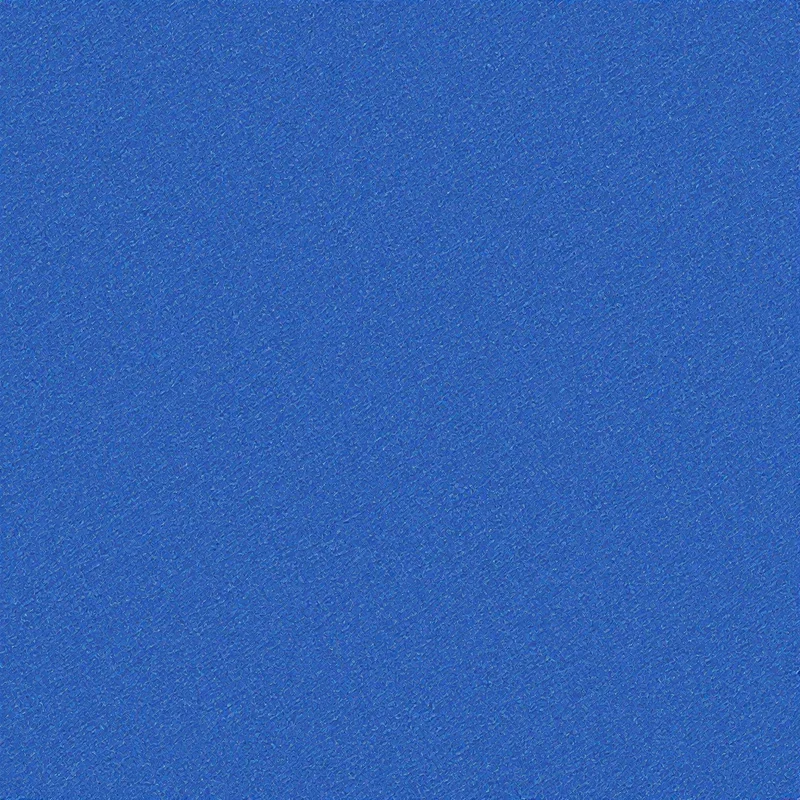
Denim pattern design is one of the most recognizable looks in textile and surface art, and getting it right comes down to one thing: capturing real indigo texture instead of settling for a flat blue fill. The diagonal weave, the faded streaks, the slightly uneven dye that sits on cotton differently in every thread. That tactile, worn-in surface is what makes denim feel like denim. In this guide you will learn what defines denim pattern design, where the look comes from, and how to generate a seamless indigo texture you can drop straight into surface art and product mockups.
What is denim pattern design
Denim pattern design is the craft of recreating the woven structure of denim cloth as a repeating, seamless surface. At its core sits the twill weave, the diagonal ribbing that runs across the fabric and gives denim its directional grain. Unlike a printed graphic that floats on top of a surface, good denim pattern design rebuilds the fabric itself: the indigo-dyed warp threads crossing over lighter weft, the subtle highs and lows of the weave, and the soft fading that comes from wash and wear. The result is a texture you can wrap around a product, tile across yards of cloth, or use as a rich background in surface art.
Origins of the indigo look
The look traces back to sturdy cotton workwear and the indigo dye that colored it. Indigo is a surface dye, meaning it clings to the outside of each cotton thread rather than soaking all the way through. That is the secret behind denim's character. As the fabric flexes and wears, the dye rubs away in places to reveal the pale cotton underneath, which is how you get the streaks, the lighter creases, and the gradual fade that no flat blue ever shows. When you design denim, you are honoring that history. The indigo texture you build should carry the same lived-in irregularity that real denim earns over time.
Visual hallmarks of denim texture
A convincing denim pattern design hits a few specific marks:
- Diagonal twill grain. The defining ribbed lines run at an angle, usually rising left to right. This is the first thing the eye reads as denim.
- Two-tone indigo. Darker dyed threads sit over a lighter base, so the surface reads as blue-on-cream rather than one solid color.
- Uneven fade. Subtle lighter streaks and worn highlights break up the field and sell the worn-in feel.
- Thread irregularity. Tiny variations in the weave keep the texture from looking mechanical or printed.
- Tactile grain. Even at a glance, the surface should feel like it has a touchable, fabric-like depth.
Nail those five and your indigo texture will read as denim from across the room.
How to generate it in Pattern Weaver
Here is the workflow for building a seamless denim pattern, step by step. Open the studio at /app/studio/ to follow along.
- 1Pick a textile starting point. Choose a fabric or texture style as your base. This tells our AI engine to build a woven surface rather than a flat illustration, which is the difference between real denim texture and a painted blue rectangle.
- 2Describe the indigo denim look. Enter prompt words such as worn indigo denim, diagonal twill weave, faded streaks, and visible cotton grain. The more you point at the weave structure and the fade, the closer the result lands.
- 3Set color and density. Pick an indigo blue palette and raise the texture and detail sliders so the diagonal weave reads clearly across the whole tile. This is where your denim pattern design gains its grain.
- 4Generate and refine. Generate, then study the twill direction and the fade. If the weave looks flat, add contrast and irregularity words and run it again. A few rounds of tweaking gets you a surface that behaves like cloth.
- 5Fix seams and export. Run the seam-fix tool to clean the tiling edges so the diagonal twill lines up perfectly across the repeat, then export at up to 8K (8192x8192) in PNG or TIFF for print.
That is the full loop. Pattern Weaver keeps every generation seamless by default, so the denim tile repeats cleanly the moment it comes out.
Color palette ideas
Indigo is the heart of denim pattern design, but the range is wider than people expect:
- Classic raw indigo. Deep navy warp over pale cream weft. The timeless workwear look.
- Stonewashed blue. A softer mid-blue with heavier fading and lighter creases for a relaxed feel.
- Black denim. Near-black indigo with charcoal grain, sharp and modern for accessories.
- Sun-faded vintage. Dusty, washed-out blue with warm undertones, ideal for retro surface art.
- Bleached white wash. Very pale blue-grey with strong cream highlights for a coastal mood.
Mixing a darker dye tone with a lighter base color is what gives any indigo texture its depth, so always design with at least two values rather than one.
Best use cases
Denim surface art is enormously versatile. It works as a full fabric print for apparel and bags, as a textured background for branding and packaging, and as a section in collage-style surface art. It is a natural fit for print-on-demand catalogs, home goods like cushions and upholstery, stationery, and phone cases. Because the twill grain reads well at both small and large scale, a single strong denim pattern design can carry an entire product line. If you sell across platforms, the seamless tiling means one file scales from a tiny label to a full bolt of cloth.
Pro tips
- Vary the fade, not just the color. A field of even blue looks printed. Streaks and worn highlights are what make indigo texture believable.
- Keep the twill angle consistent. Real denim runs its diagonal one way. Mixed directions break the illusion fast.
- Generate larger than you think. Export at high resolution so the fine weave survives scaling. Detail is cheap to keep and costly to add back.
- Test the tile. Preview the repeat before committing so the diagonal lines flow across the seam without a visible jump.
- Build a small set. Generate raw, stonewashed, and black versions together so you have a cohesive denim family ready for any project.
If you want deeper grounding in the underlying craft, the guide on how to create seamless patterns covers tiling fundamentals, and pattern design for print on demand walks through prepping files for physical products. For a broader look at the workflow, see how to make a pattern with AI.
Start designing denim
Denim pattern design rewards attention to texture: get the twill grain, the two-tone indigo, and the uneven fade right, and the surface sells itself. The fastest way to build that indigo texture is to describe what you picture and let the studio do the weaving. Browse pattern starting points on the /create/ page, jump straight into the studio at /app/studio/, and check the /pricing/ page to find the plan that fits your output. Your next denim surface art piece is a few prompts away.


