

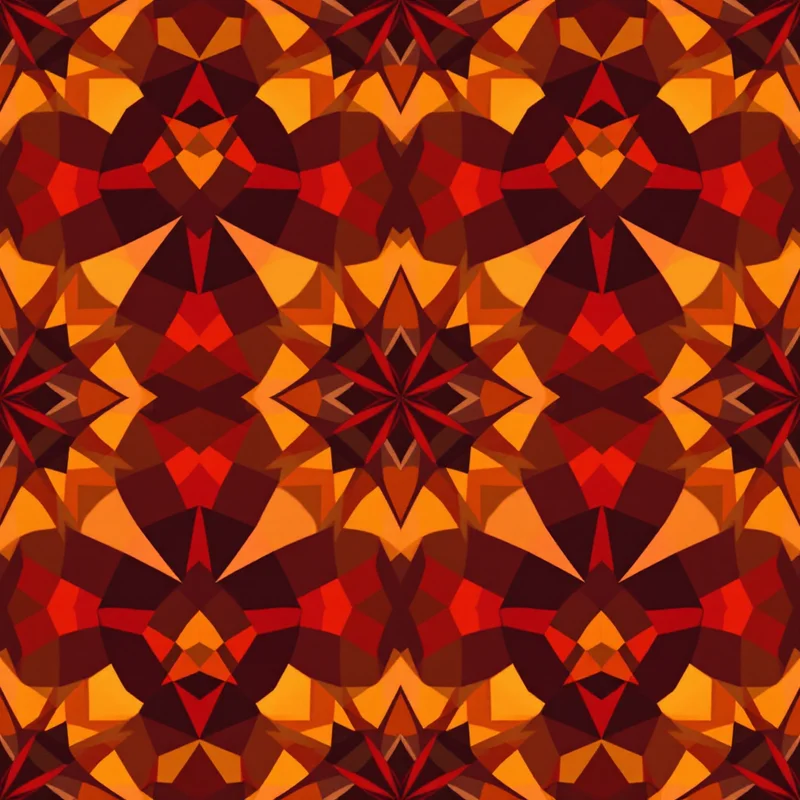
Textile design has several stages, and AI is useful at some of them and a liability at others. Treating it as one big switch, either "AI does everything" or "AI is useless", misses where the real change is likely to happen in 2027. A stage-by-stage view is more honest.
The workflow, stage by stage
| Stage | Where AI can help | What you still do |
|---|---|---|
| Research and mood boards | Quick visual directions to react to | Choose the references, decide what is on-brand |
| Concept sketches | Many first-pass motifs and layouts in minutes | Pick the winners, redraw or refine them |
| Repeat building | Seamless tiles as a starting point | Check the repeat at scale; fix edges |
| Colorways | Fast alternate palettes | Match to specified colors, check contrast |
| Technical prep | Little | Resolution, scale, color mode, files for the printer |
| Presentation | Mockups of prints on products | Judge scale and placement on the real object |
| Rights and records | Nothing | Read licenses, keep notes on how work was made |
Where AI helps most: ideation and iteration
The biggest benefit is volume at the front end. Where a designer might sketch five variations of a floral in an afternoon, a generator can produce a few dozen starting points to react to. That doesn't produce a finished collection, but it moves the thinking from "what could this be?" to "which of these is worth developing?"
For the mechanics, our guide to how AI pattern generation works explains prompts, tiling and limits. The AI pattern generator category is a practical place to try different directions.
Repeats: helpful, but verify
Producing a seamless tile is one of the more useful applications, because building repeats by hand is tedious. Still, do not assume a tile is flawless. Check:
- Edges. Tile the file in a three-by-three grid and look for seams, doubled motifs or color jumps
- Scale. Motifs may be too large or small for the product, so check against real dimensions
- Repetition. Visible repeating clusters, "hot spots", may appear in a large tiled area
- Artifacts. Stray marks, text-like squiggles or malformed shapes, especially at small size
If an edge is off, a tool like the Tiling Fixer can repair it. See the repeat pattern maker category, and our seamless pattern mistakes guide.
Colorways: fast, with a catch
AI is good at turning one design into alternate moods. It is less reliable when a client gives you a specific Pantone reference or a hex value. Always check colors against the brief, and measure a few key areas rather than trusting what looks right. For printing, color mode also matters; read the CMYK vs. RGB guide.
Technical prep: still a human job
Mills and printers have requirements: file size, resolution, repeat dimensions, color count, bleed, and the way a pattern aligns at seams. A generator rarely knows your printer's constraints. This is where experienced designers earn their keep. See how to prepare patterns for fabric printing. A high-resolution export helps, but resolution is only part of readiness.
Rights and disclosure
This is the least settled part. Copyright rules for AI-generated images differ between countries and are still developing, and marketplaces set their own policies. A practical routine:
- 1Read the license of every tool you use
- 2Read the policy of each marketplace where you sell
- 3Keep records of prompts, edits and your own contributions
- 4Do not claim hand-drawn work for something generated
Our commercial license guide for AI patterns covers the questions worth asking. This is not legal advice; for anything important, talk to a lawyer.
What changes for designers in 2027
These are directions to expect, not measured findings.
- More of the job is art direction. Choosing, editing and combining becomes a larger share of the work
- Faster rounds with clients. Expect requests for more options in less time
- Hand-drawn work may become a selling point. Visible mark-making and a documented process are ways to stand out
- Technical skills matter more. The designer who can prepare files properly and match colors reliably has a clear edge
- Taste is the scarce thing. When anyone can make a hundred patterns, knowing which one to ship is the skill
A sensible studio setup
A workable approach: generate rough directions with AI, choose a few, then redraw or rework the best by hand. Build the collection palette yourself. Run the technical prep by checklist. Use mockups, which in Pattern Weaver are free and show a pattern on 20 products, to judge how a design sits on real objects before you commit. Keep a note in each project folder recording what was generated and what was drawn.
Trying it out
To see the stages in practice, write a direction into Describe It, such as "dense painterly ranunculus on a deep green ground", or choose from the 44 categories and 5,700+ styles in Browse Styles. A seamless tile arrives in about 20 seconds. New accounts get 5 free credits. Compare what the tile gives you with what a brief would actually need, and you have a good picture of where the human work remains.
Explore related pattern styles