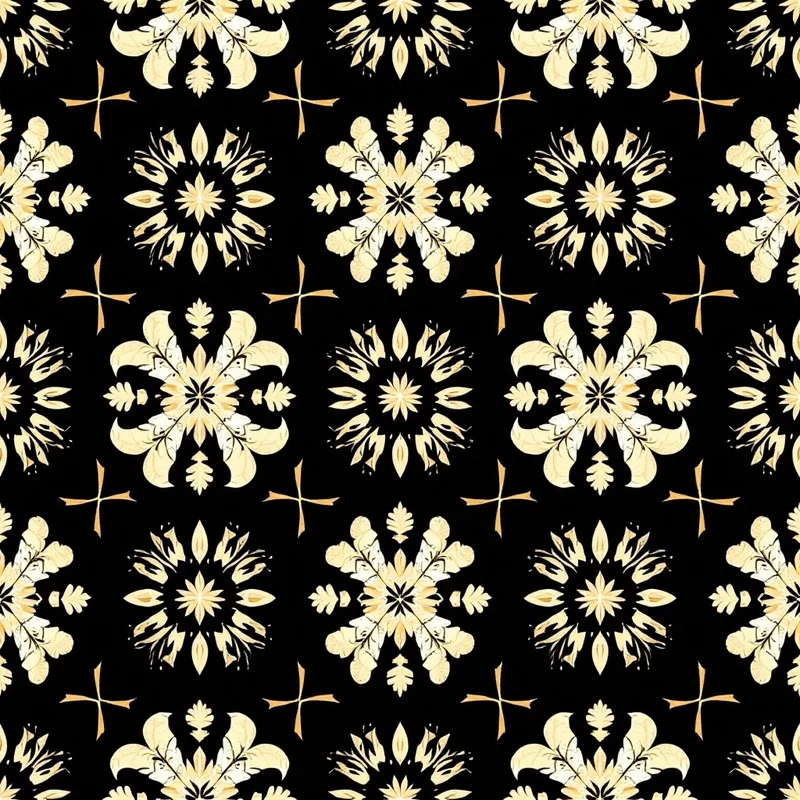
Redbubble is one of the largest print-on-demand marketplaces, and patterns are among the best-performing design types on the platform. Unlike illustration-centric designs that work on a single product, a well-designed seamless pattern can be applied across dozens of Redbubble's product types — from phone cases to duvet covers to leggings — without reworking the artwork. That scalability is what makes pattern design particularly profitable on Redbubble.
But Redbubble has its own quirks. The upload system, product templates, and buyer expectations are different from platforms like Spoonflower or Etsy. Designers who understand these specifics consistently outperform those who upload generic artwork and hope for sales.
Redbubble Upload Specifications
Redbubble does not have a single universal upload size. Each product type has its own recommended dimensions, and the platform auto-scales your artwork to fit. However, for pattern-based designs, there are practical standards that cover most products well.
Resolution baseline: 300 DPI at your intended print size. Redbubble accepts files up to 32 megabytes. For patterns, the sweet spot is uploading at the largest size the platform accepts — this ensures your design holds up on large-format products like duvet covers and shower curtains without pixelation.
Recommended upload dimensions:
- General use: 7632 x 6480 pixels covers nearly all products at acceptable quality
- Apparel (leggings, dresses): The template is roughly 4350 x 5100 pixels, but uploading larger gives the platform more resolution to work with
- Phone cases: 1300 x 2000 pixels minimum, but your general upload covers this
- Stickers and small items: Any resolution above 1500 pixels works
File format: PNG. Always PNG for patterns. JPG compression introduces artifacts that become visible at seam edges and in areas of solid color — exactly the places where pattern integrity matters most.
Color mode: RGB. Redbubble prints using digital processes that work from RGB files. Uploading CMYK will result in color shifts after the platform converts it back. If you need to verify how your colors will print, Redbubble's preview tool gives a rough approximation, but ordering a sample is the only reliable method.
Seamless vs Non-Seamless: Which Products Need What
This is where Redbubble pattern design gets strategic. Not every product on the platform tiles your artwork. Understanding which products repeat and which display a single instance determines how you should design.
Products that tile your artwork:
- Duvet covers and comforters
- Shower curtains
- Throw blankets (some configurations)
- Wrapping paper
For these products, your pattern must be genuinely seamless. Visible seams on a duvet cover are immediately obvious and will result in returns. If you are generating patterns with tools like Pattern Weaver, the seamless tiling is handled automatically, but always verify the repeat at the edges before uploading.
Products that display a single instance:
- Phone cases
- Laptop sleeves and skins
- T-shirts and hoodies
- Stickers
- Art prints and posters
For these, your pattern does not need to be seamless — but a seamless pattern still works well because it provides uniform visual coverage regardless of how the product template crops the artwork. A non-repeating composition risks having the focal point cut off on certain products.
The best approach: Design seamless patterns and upload them at high resolution. This gives you maximum product coverage from a single upload.
What Sells on Redbubble: Pattern Trends and Demand
Redbubble's buyer demographic skews younger and more trend-aware than platforms like Spoonflower. The patterns that sell well reflect this.
Consistently strong categories
- [Abstract patterns](/create/abstract-patterns) — fluid shapes, gradients, and organic forms perform well on apparel and phone cases. Buyers on Redbubble respond to patterns that feel contemporary and slightly artistic rather than traditional.
- [Botanical patterns](/create/botanical-patterns) — tropical leaves, wildflowers, and mushroom motifs have sustained demand. Dark backgrounds with vivid botanical elements are particularly strong for phone cases and laptop skins.
- [Geometric patterns](/create/geometric-patterns) — clean geometric repeats in trending color palettes consistently sell across all product types. Retro-inspired geometrics (70s curves, Memphis style) cycle in and out but never fully disappear.
- Pop culture adjacent — patterns featuring motifs from trending subcultures (cottagecore florals, dark academia elements, goblincore mushrooms) tap into Redbubble's community-driven audience.
Seasonal demand cycles
Redbubble traffic spikes significantly during gift-giving seasons. Plan your uploads accordingly:
- October–November: Halloween patterns, autumn themes, cozy motifs
- November–December: Holiday patterns, winter themes, gift wrap
- February: Valentine's Day patterns (surprisingly strong on Redbubble)
- April–May: Spring florals, Mother's Day themes
- June–August: Tropical patterns, bold summer colors
Upload seasonal designs at least 6-8 weeks before the relevant holiday. Redbubble's search algorithm favors designs with existing engagement, so early uploads have time to accumulate favorites and views before peak traffic arrives.
Pricing Strategy for Pattern Products
Redbubble uses a margin-based pricing model. Each product has a base cost, and you set a markup percentage on top of it. Your earnings are the difference.
Default markup is 20%. Most new sellers leave this unchanged, which is a mistake. The economics vary significantly by product type:
- Stickers (default ~20% markup): Low per-unit earnings ($0.30–$0.50) but high volume. Keep the markup moderate — stickers are impulse purchases and price-sensitive.
- Phone cases (~20-30% markup): Mid-range earnings ($2–$4 per sale). Buyers compare prices, but there is room to push markup slightly above default if your design quality is strong.
- Apparel (25-35% markup): Higher per-unit earnings ($4–$8) but fewer sales. Pattern-covered apparel like leggings and dresses command higher markups because the all-over print is the entire product.
- Home goods — duvet covers, shower curtains (20-25% markup): These are the highest absolute earnings per sale ($8–$15+), and patterns are the dominant design type for these products. This is where seamless pattern design pays off most directly.
Strategy: Set different markups per product category. Push margins on home goods and apparel where your patterns provide maximum visual impact. Keep stickers and small items competitive.
Optimizing Listings for Redbubble Search
Redbubble's internal search engine is how most buyers find products. Optimizing your listings is not optional — it is the primary driver of organic sales.
Title strategy
Your title should include the pattern style, dominant colors, and intended use. Compare these:
- Weak: "Blue Floral Pattern"
- Strong: "Navy Wildflower Botanical Pattern — Dark Floral for Phone Cases and Home Decor"
The second title contains more search terms that buyers actually type while remaining readable.
Tags
Redbubble allows up to 15 tags per design. Use all 15. Include:
- Pattern style descriptors (seamless, repeating, all-over print)
- Color names (not just "blue" — navy, cobalt, cerulean)
- Motif type (floral, botanical, wildflower, leaf)
- Intended product (phone case pattern, duvet cover design)
- Aesthetic or trend terms (cottagecore, maximalist, minimalist, retro)
- Seasonal terms when applicable (spring, autumn, holiday)
Description
Write 2-3 sentences describing the pattern, its color palette, and what products it works best on. Redbubble's algorithm parses descriptions for relevance, and buyers who read descriptions convert at higher rates.
Production Workflow for Redbubble Patterns
A repeatable workflow lets you scale your Redbubble catalog efficiently. Here is what works:
- 1Generate the base pattern. Start with your core design. Tools like Pattern Weaver let you control style, color palette, density, and scale — all factors that determine how the pattern performs across different product types.
- 1Verify seamless tiling. Before uploading, check the tile edges. Zoom into where the repeat joins and look for visible seams, color mismatches, or motif clipping. The tiling tool can help verify and adjust repeat quality.
- 1Export at maximum resolution. Redbubble rewards high-resolution uploads with better product previews. Export your pattern tile at 300 DPI and at least 7000 pixels on the longest edge.
- 1Create colorway variations. A single pattern design uploaded in 3-5 different color palettes becomes 3-5 separate listings. A geometric grid pattern in navy, terracotta, sage, and black effectively quadruples your catalog from one design session.
- 1Enable all applicable products. After uploading, review each product preview. Disable products where the pattern does not look right (usually products where scaling distorts the motif), and adjust positioning on products that allow it.
- 1Write optimized metadata. Title, tags, and description — per the guidelines above. This step takes 5 minutes per listing and determines whether anyone ever sees your design.
Common Mistakes to Avoid
Uploading too small. Redbubble will stretch a low-resolution file to fit a large product, and the result looks terrible. Always upload at the platform's maximum recommended dimensions.
Ignoring product previews. Your pattern might look great as a phone case but awkward on a shower curtain. Check every enabled product preview and disable any where the pattern does not translate well.
Inconsistent branding. Redbubble buyers who like one of your designs often browse your full shop. If your catalog is a random assortment of unrelated styles, you lose the follow-on purchase. Develop recognizable pattern families — collections that share aesthetic DNA even if the motifs differ.
Neglecting seasonal uploads. Many designers upload year-round without accounting for seasonal demand, then wonder why sales spike in December and flatline in January. Plan your upload calendar around Redbubble's traffic patterns.
Setting uniform pricing. Different products have different price sensitivities and different earnings potential. A single markup percentage across all products leaves money on the table for high-value items and prices you out of competitive categories like stickers.
Redbubble rewards consistency and volume. A focused catalog of 50-100 well-optimized pattern designs, each available in multiple colorways, will outperform 500 random uploads every time. Design intentionally, optimize your listings, and let the platform's scale work in your favor.
Explore related pattern styles
Patterns for